
What is Vinaa?
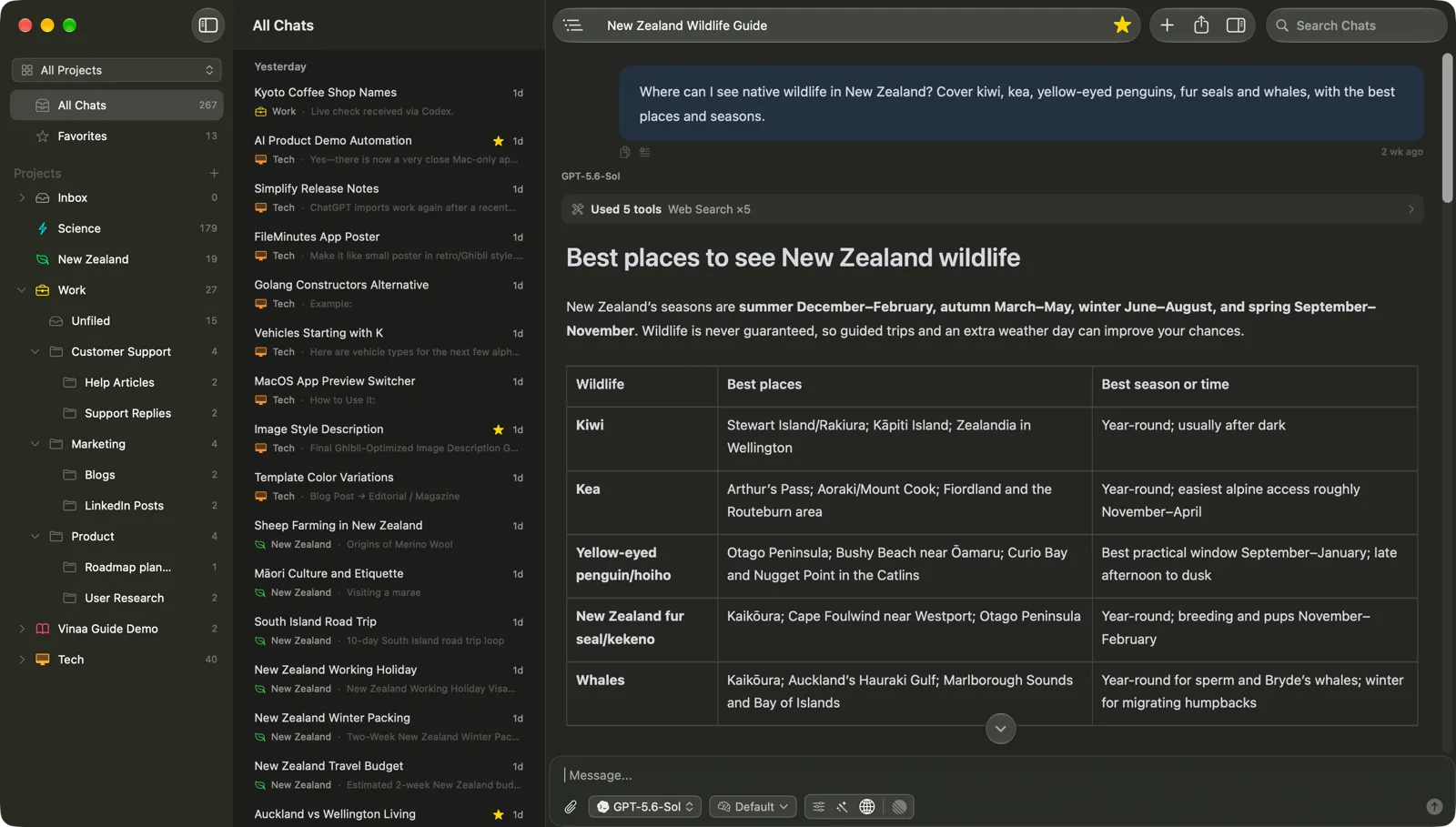
Chat with different AI models, organize your conversations, and work with files and tools in one Mac app.
Vinaa is a native Mac app for chatting with AI. You choose the AI connections you want to use, then keep your conversations together in a workspace on your Mac.
What you can do with Vinaa
Use Vinaa to:
- Chat with cloud or local AI models and switch models within a conversation.
- Organize chats into projects and folders, and mark favorites.
- Attach images, PDFs, text, and code files to supported models.
- Let supported models search the web, run code, or use connected services.
- Save and reuse prompts you use often.
- Import conversations from ChatGPT or Claude.
- Search across your chats or find text inside one conversation.
- Export or share a chat as Markdown or PDF.
- Sync your Vinaa data between Macs with iCloud.
The models, attachments, reasoning controls, and tools available depend on the connection and model you choose.
Bring your own AI
An AI provider is the service that answers your messages. Vinaa supports several ways to connect:
- API keys: Connect OpenAI, Anthropic, Google, DeepSeek, xAI, Mistral AI, Moonshot AI, Z.ai, or Alibaba Cloud. An API key is a secret credential that lets Vinaa use your provider account.
- Existing plans: Use ChatGPT Plan through Codex CLI, or Claude Plan through Claude Code. These require additional setup.
- Local models: Connect Ollama or LM Studio to run a model on your Mac. A local model runs on your own computer. Apple Foundation Models is also available on supported Macs running macOS 27 or later.
- Other services: Connect OpenRouter, Groq, Together AI, Fireworks AI, Cerebras, DeepInfra, or Baseten. You can also add an OpenAI-Compatible API.
A Vinaa license covers the app. AI usage is separate; check your provider’s billing and plan limits.
Get started in your language
Vinaa supports English, German, Japanese, French, Simplified Chinese, Spanish, Brazilian Portuguese, Korean, Italian, and Traditional Chinese. Choose App Language in Vinaa → Settings → Appearance to change the interface language.
The released app offers a free 14-day trial. The welcome window guides you through connecting AI, starting a trial or activating a license, and choosing sync and diagnostics settings. You can change these choices later in Settings.