
Which AI connection should I use?
Compare API keys, subscription plans and local models to choose your first AI connection.
Vinaa is the app you chat in; an AI connection provides the model that writes replies. You can add more than one connection and choose a different model for each chat.
Compare your options
An API key is a secret code that lets Vinaa use an AI provider through your account. A local model runs on your Mac rather than on a provider’s computers.
| Connection | Cost | Setup effort | Where messages are processed | Offline replies |
|---|---|---|---|---|
| API key: OpenAI, Anthropic, Google, DeepSeek and others | Usually pay per use; credits or a limited free tier may be available | Create a provider account and paste a key | At the provider | No |
| ChatGPT Plan | Uses your plan’s Codex allowance | Install Codex CLI, sign in and grant folder access | At OpenAI | No |
| Claude Plan | Uses your Claude plan; extra usage may cost more | Install Claude Code and sign in; Experimental | At Anthropic | No |
| Ollama or LM Studio, running a downloaded model on this Mac | No provider charge for local replies; uses your Mac’s memory, storage and power | Install a separate app, download a model and run its server | On your Mac | Yes, after setup |
| Apple Foundation Models | No API key or per-message provider charge | Requires macOS 27 or later and Apple’s on-device AI to be ready | On your Mac | Yes, once ready |
| OpenRouter | Model-dependent usage charges and credits | Sign in or paste a key, then choose models | Through OpenRouter and the selected model host | No |
| OpenAI-Compatible API | Depends on the service or server | Obtain its address, authentication details and models | Wherever that server runs | Only if the server and model are local |
Local operation depends on using a downloaded model, rather than a cloud model. See the Ollama FAQ and LM Studio’s offline guide. OpenRouter forwards requests to model hosts; review its privacy and billing information.
Choose a starting point
- For a simple setup without Terminal: use an API key. Google’s Gemini API has a free tier for eligible projects and models, with limits; check Google’s pricing.
- If you already have ChatGPT: consider ChatGPT Plan if you’re comfortable following a few Terminal steps. Check OpenAI’s current plan access and limits.
- If you already have Claude: Claude Plan is Experimental and may stop working. For API access instead, choose Anthropic and manage API billing separately.
- For offline work or local processing: choose a downloaded model in Ollama or LM Studio, or Apple Foundation Models on a supported Mac. Model size and your Mac’s memory affect local performance.
- To try models from many providers through one account: consider OpenRouter. Use OpenAI-Compatible API when a service gives you an OpenAI-compatible server address.
Cloud connections send the content needed for your request to the service. A local model keeps model processing on your Mac, but online tools still contact their services, and iCloud sync is a separate setting.
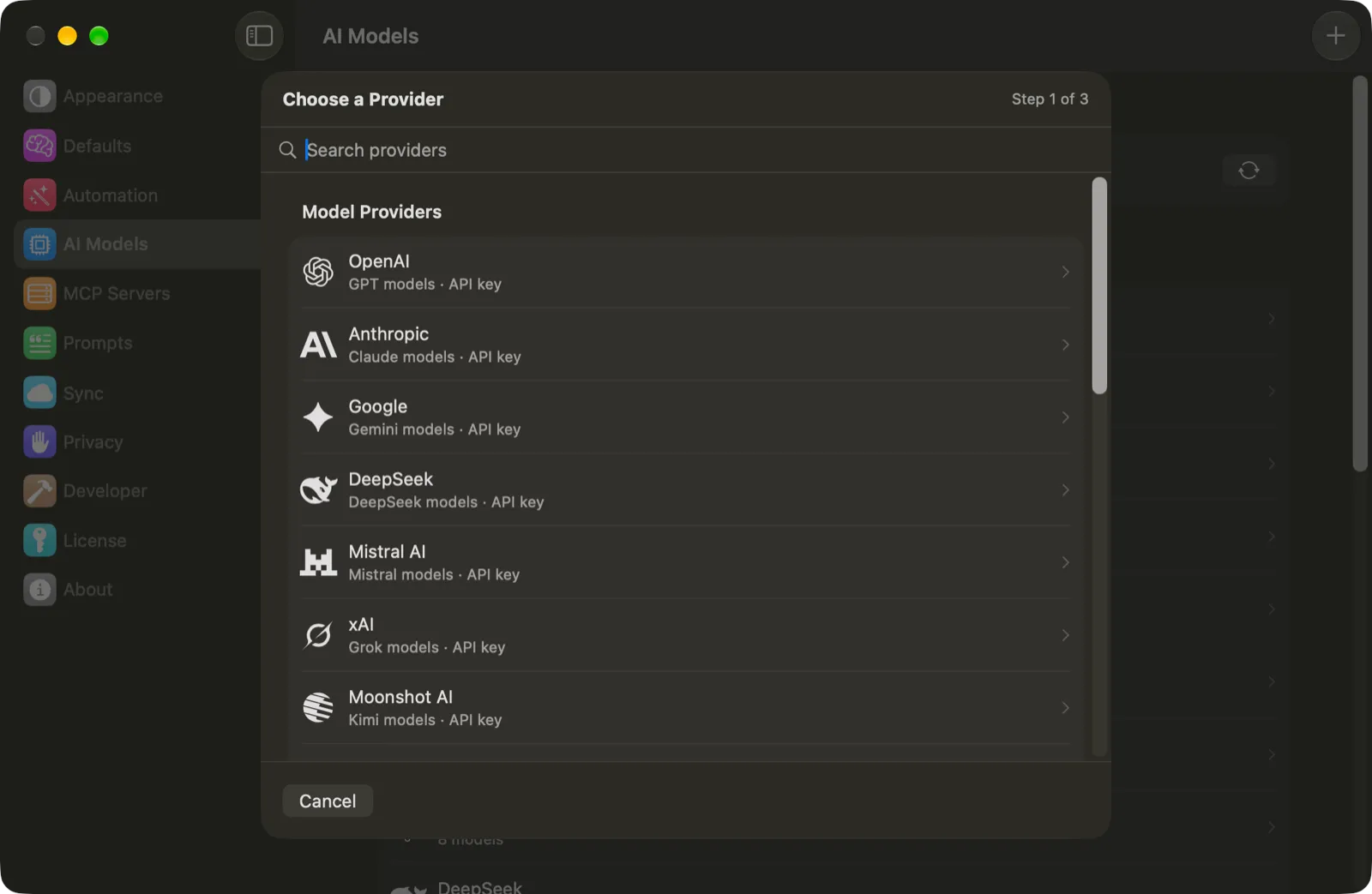
Find the connection choices
- Open Vinaa → Settings… (⌘,).
- Select AI Models.
- Click Add Connection in the toolbar.
- Choose a provider to begin its setup. Use Search providers to find it by name.
Note: Your Vinaa purchase or trial covers Vinaa. Any AI subscription, API credits or hosted-model charges are managed separately with the provider.